SimchaCam Guides
How to Livestream an Event Privately (Without Facebook or YouTube)
Learn how to privately livestream a wedding, family event or ceremony without making it public. Compare YouTube, Facebook, video meetings and simple private event streaming.

Sometimes you want people to watch an event online.
You just don't want everyone to watch it online.
Maybe it's a wedding with grandparents who can't travel. A bar mitzvah with family overseas. A birthday, religious service, memorial or another occasion where there are a handful — or a few hundred — people you'd like to include.
The obvious answer is to livestream it.
Then comes the less obvious question:
How do you livestream an event privately?
You could use Facebook. You could set up a YouTube stream. You could create a Zoom or Google Meet call. There are also professional streaming platforms with enough settings to keep an AV technician entertained for an afternoon.
All of those can work.
But if what you actually want is “send my family a link, point a phone at the event and let them watch”, things can become complicated surprisingly quickly.
So let's look at the options — and, more importantly, what you should actually think about when choosing one.
First: what does “private” actually mean?
This is worth clearing up because private and not publicly listed aren't necessarily the same thing.
There are a few different ways a livestream can be restricted.
You might have a stream that doesn't appear publicly but can be watched by anyone who has the link.
You might require viewers to enter a password.
You might restrict access to particular accounts or email addresses.
Or you might use a meeting platform where viewers have to request access and somebody has to admit them.
Those are all different versions of “private”.
For most family events, I think the useful question is simpler:
Could a random person realistically stumble across this stream?
And then:
How difficult will I make life for the people I actually want to watch it?
Those two things need to be balanced.
You can build a wonderfully secure system that requires every guest to create an account, verify their email and perform three ceremonial dances before being admitted.
Your 82-year-old grandmother may have other ideas.
Option 1: an unlisted YouTube livestream
YouTube is an obvious choice because almost everybody knows how to use it.
An unlisted YouTube video doesn't normally appear in search results or on your channel like a public video. People you send the link to can watch it without needing a Google account.
For many events, that may be perfectly adequate.
There is an important distinction, though:
Unlisted does not mean access-controlled.
Anyone who has the link can watch an unlisted video, and anyone you've sent it to can send that link to somebody else. YouTube explicitly describes unlisted videos as viewable and shareable by anyone with the link.
YouTube also has a genuinely Private visibility setting, but that works differently: you choose who can view the video rather than simply distributing a link.
So there's a trade-off.
Unlisted is easier for guests.
Private gives you tighter control.
For a family that already uses YouTube and doesn't mind configuring everything, either may be a reasonable answer.
Option 2: Facebook Live
Facebook is another obvious place to look, particularly if most of the people watching already use Facebook.
And that's also its weakness for this particular job.
You're effectively using a social network to distribute something that may not really be social-media content.
For some events that's exactly what you want. Perhaps you're streaming something to an existing community or group and Facebook is already where everybody gathers.
But for a private family event, I prefer starting with a different question:
Why should Grandma's ability to watch the wedding depend on how comfortable she is with Facebook?
The people you want to include may span several generations, countries and levels of technical ability.
The fewer assumptions you make about them, the better.
Option 3: Zoom or Google Meet
This is probably the question I've been asked most since building SimchaCam:
Why not just use a video meeting?
It's a fair question.
Zoom and Google Meet are excellent at what they were designed to do: meetings and video calls.
And Google Meet, for example, can allow somebody without a Google account to join as a guest. Depending on the meeting and its settings, that guest may need to enter their name, request access and be admitted by somebody already in the meeting.
For ten relatives who all want to talk to each other, that's useful.
But that's not necessarily what I want during a wedding ceremony.
A livestream and a video meeting are fundamentally different experiences.
In a meeting, the viewers are participants.
In a livestream, the viewers are an audience.
For an event, I generally don't want Uncle Michael discovering his microphone is on halfway through the chuppah.
I don't want somebody responsible for admitting viewers while they're supposed to be watching the ceremony.
And I don't particularly want the person watching to think about their own camera, microphone or meeting controls at all.
I want them to click something and see the event.
That's it.
Option 4: a professional livestreaming platform
At the other end of the spectrum are dedicated professional streaming platforms.
These can be brilliant.
If you're producing a conference, broadcasting a large event, working with multiple cameras or have a professional AV team, you may want all the control they provide.
But there is a point where flexibility becomes complexity.
If you're trying to let 40 relatives watch a wedding from abroad, you probably don't want to spend the morning learning about broadcast software and configuring a professional streaming workflow.
There's nothing wrong with using professional tools.
They're just solving a different version of the problem.
The viewer experience matters more than people think
When people plan an event livestream, they naturally concentrate on the person doing the streaming.
What camera are we using?
Where's the tripod?
Is the internet good enough?
Who's pressing the button?
All important questions.
But I'd argue that the viewer experience is at least as important.
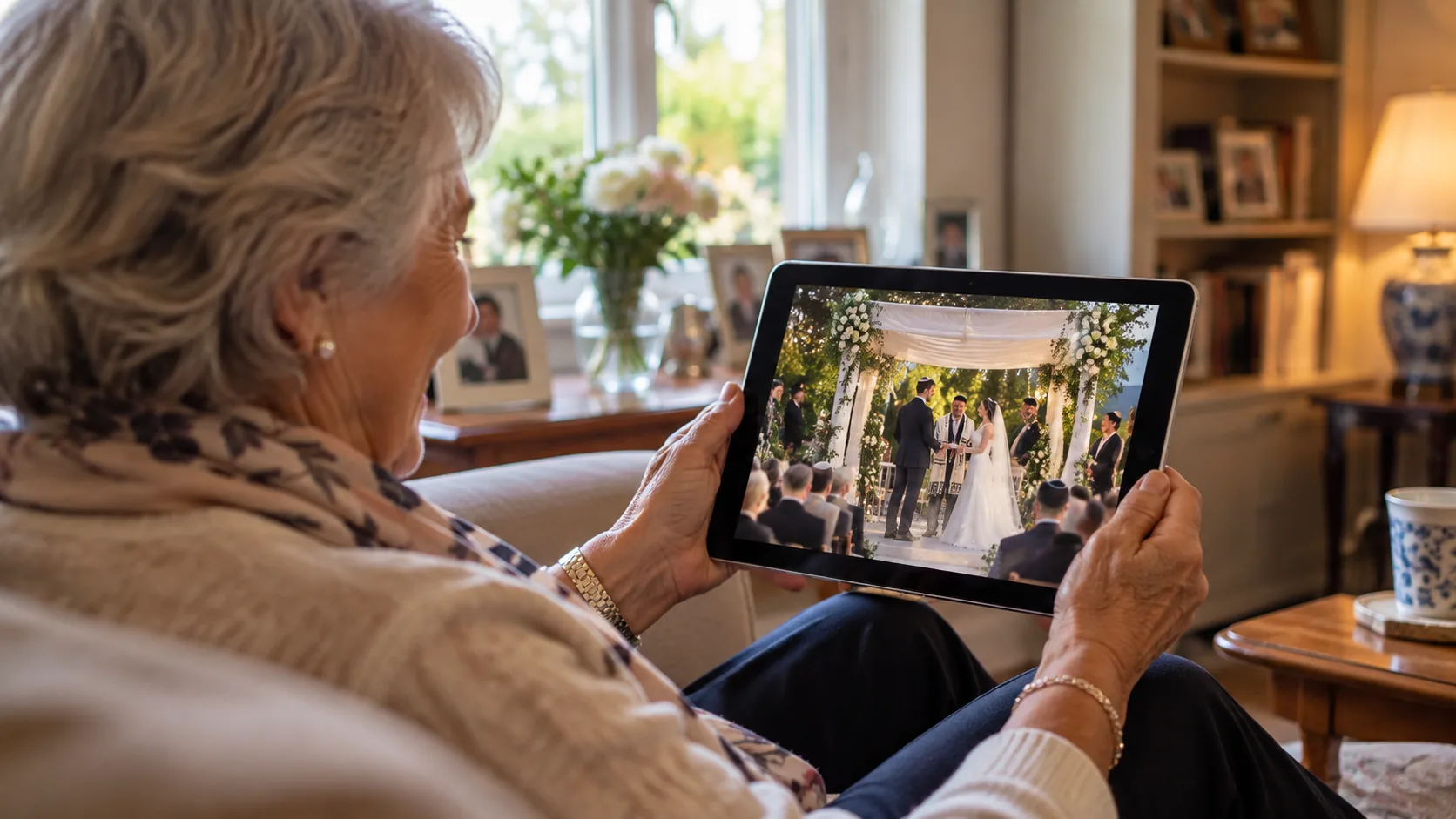
Think about who might actually be watching.
A grandparent who couldn't make the flight.
A cousin sitting at work in another country.
Someone watching from a hospital.
A relative opening the link on an iPad.
Someone who doesn't know what browser they're using and frankly doesn't care.
The best instructions you can give those people are:
“Tap this link.”
Every extra step after that creates another opportunity for somebody not to make it into the stream.
Download this app.
Create an account.
Remember your password.
Enter this meeting code.
Ask to join.
Wait to be admitted.
Find the mute button.
None of those things is particularly difficult on its own.
But this isn't a Tuesday morning work meeting with the IT department available.
It's somebody trying to watch their granddaughter get married.
What about passwords?
A private link is convenient, but sometimes you want another layer.
That's where password protection can make sense.
You send guests the viewing link and a password separately or together. Even if the link gets forwarded accidentally, somebody still needs the password to enter.
Whether you need that depends on the event.
For many family occasions, an obscure private link is enough.
For something particularly personal or sensitive, I'd consider adding a password.
The important thing is to decide what level of privacy you actually need rather than automatically choosing the option with the most security settings.
Don't forget the recording
There's another question that's easy to overlook:
What happens to the livestream afterwards?
Time zones don't care about your wedding schedule.
A ceremony at 6pm in London is 3am somewhere else. Someone may be working. Someone may be travelling. Someone may simply miss it.
If the event matters enough to livestream, having a recording or replay available afterwards can be extremely useful.
Think about this before the event rather than discovering afterwards that your chosen setup didn't do what you expected.
And if you're recording other people, particularly during a religious service or sensitive family event, make sure the people responsible for the event and venue are comfortable with it.
The boring bit: test your internet
Privacy gets all the attention in an article about private streaming, but none of it matters if the stream doesn't stay online.
Before the event, stand roughly where the phone will actually be positioned and test the connection from there.
Not from the hotel lobby.
Not from the bridal suite.
Not from beside the router.
From the actual place you're planning to stream.
Venues can have excellent Wi-Fi in one room and terrible Wi-Fi 20 metres away.
Mobile data can be the same.
A five-minute test beforehand is considerably more enjoyable than diagnosing a connection problem while everybody is walking down the aisle.
Keep the physical setup boring
You don't necessarily need an elaborate camera rig.
A modern smartphone, a stable tripod, power if the event is long, and a reliable internet connection can be enough for many family events.
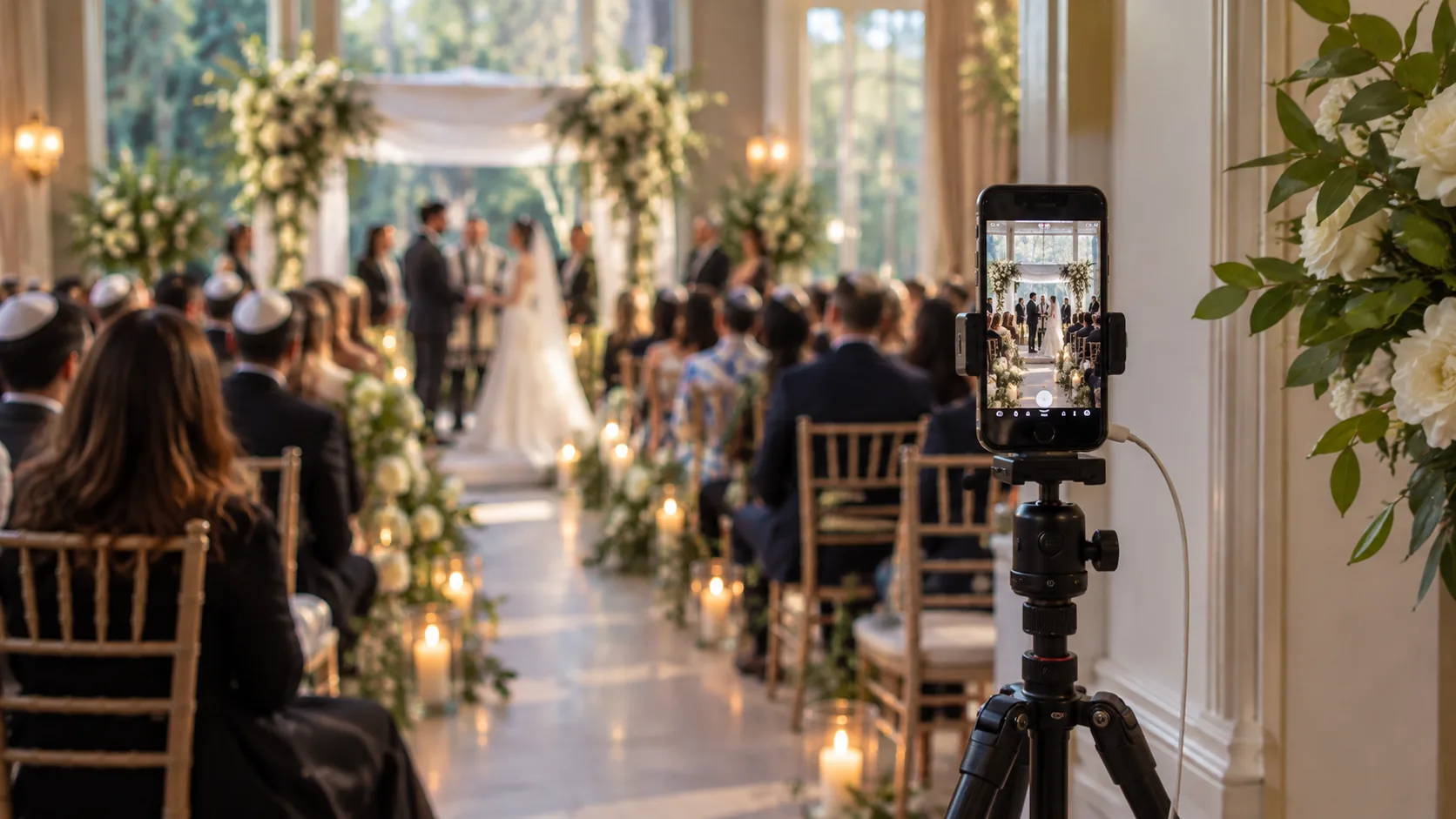
Positioning matters enormously.
Don't put the phone somewhere guests will constantly walk in front of it.
Don't put it so far away that everyone looks like ants.
And remember that people watching remotely can't turn their heads when something happens outside the frame.
If possible, do a short test recording from the intended position and actually watch it back.
You'll notice problems immediately.
So what does SimchaCam do differently?
This is exactly the problem I originally built SimchaCam to solve.
I wasn't trying to build another social network.
And I wasn't trying to build another video meeting platform.
I wanted a simple division between the two sides of an event.
One person streams. Everyone else watches.
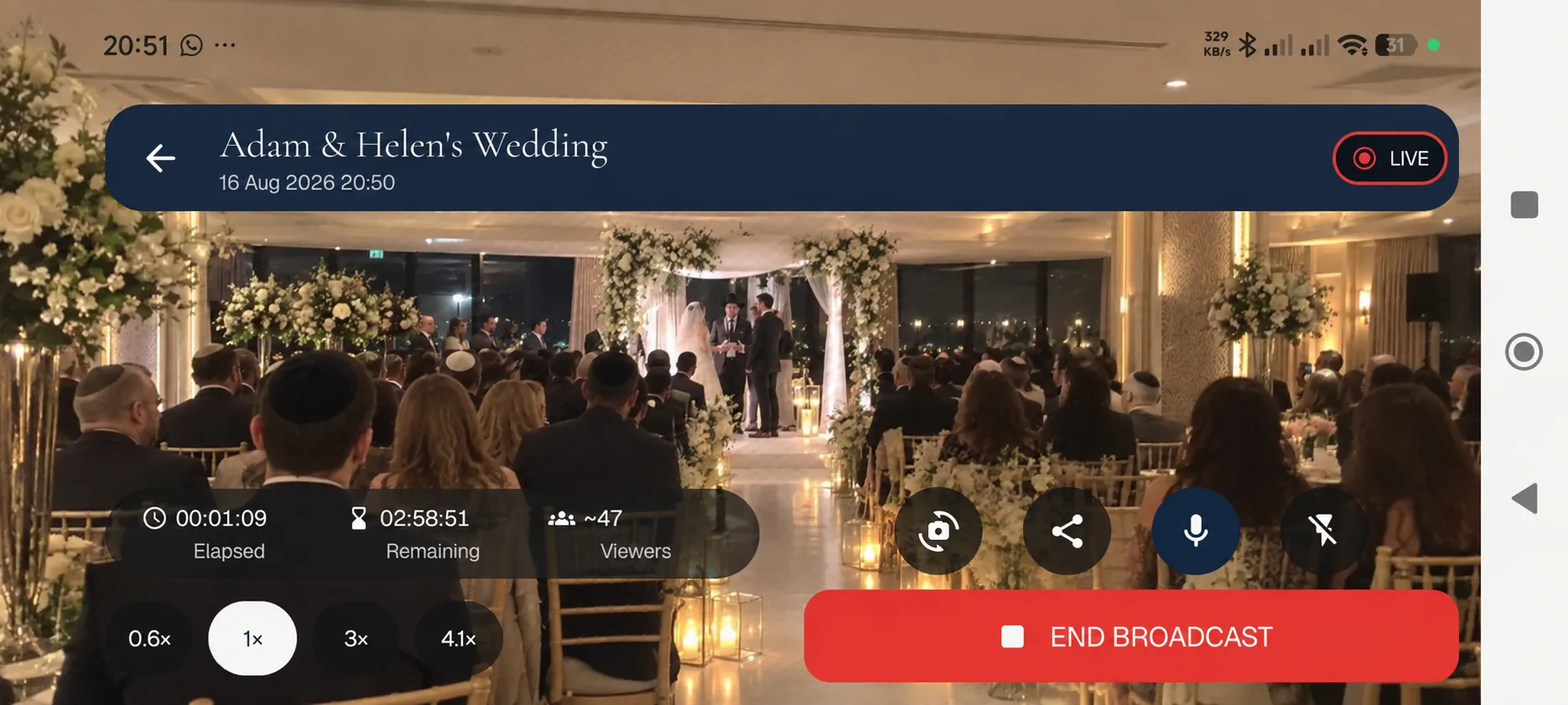
With SimchaCam, you create the event and share its private viewing link with the people you want to invite.
When the event starts, the person streaming can use the SimchaCam streaming app — or, for now, the existing browser-based streaming option — to broadcast from their phone.
The viewers don't need the streaming app.
They don't need a SimchaCam account.
They aren't joining a meeting.
They simply open the link in their browser and watch.
If you want another layer of protection, an event can also be password protected.
That's deliberately boring.
Because on the day of an important event, boring technology is often exactly what you want.
Which option should you use?
There's no reason to pretend SimchaCam is automatically the answer for everyone.
If you're livestreaming publicly to an audience you've already built on YouTube, use YouTube.
If everyone is part of a Facebook community and that's where you want the conversation to happen, Facebook may make perfect sense.
If the people watching need to talk back and participate, use Zoom or Google Meet.
If you're producing a complicated multi-camera broadcast, use professional broadcasting tools.
But if your requirement sounds more like:
“We're having an important event. Some people we care about can't be there. We want to send them a private link so they can simply watch.”
That's the problem SimchaCam is designed around.
A private livestream shouldn't become another event to organise
There are already enough things to think about when you're organising a wedding, bar mitzvah, birthday, memorial or family celebration.
The livestream shouldn't become one of the complicated ones.
Choose somewhere sensible for the phone.
Test the internet.
Decide who should have access.
Send people the link before the event.
And make the experience for the person watching as close as possible to:
Open link. Watch event.
They may be thousands of miles away.
The technology doesn't need to keep reminding them of it.