SimchaCam Guides
How to Livestream a Funeral or Memorial Service Privately
Practical considerations for privately sharing a funeral or memorial service with family and friends who cannot attend, from family wishes to a discreet setup.
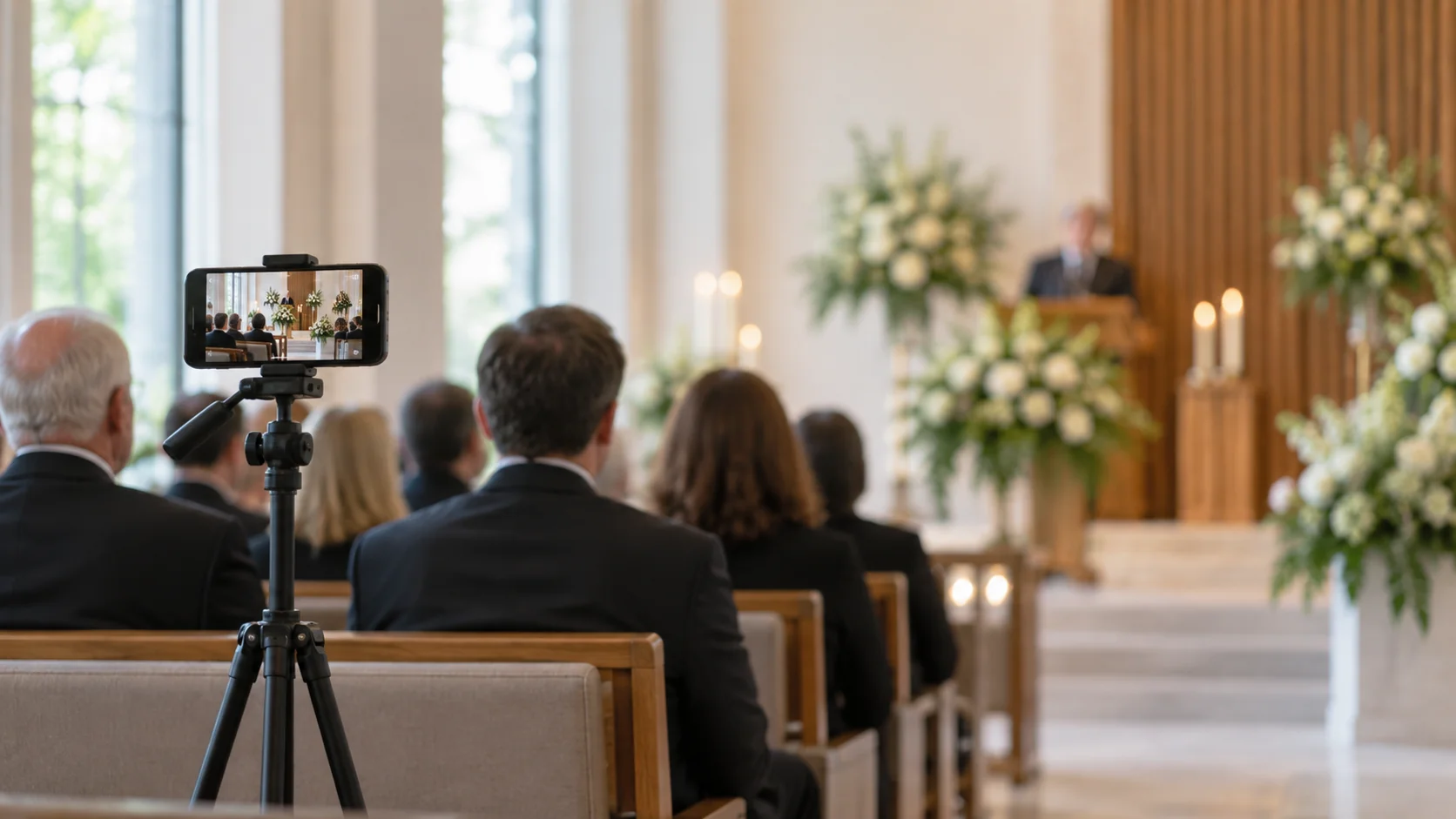
When someone dies, the people who want to be there aren't always able to be.
Family may live in another country. An elderly relative may not be well enough to travel. Someone may be in hospital. A funeral may have been arranged at short notice, leaving very little time for people overseas to make the journey.
In those circumstances, livestreaming a funeral or memorial service can give people a way to be present when they otherwise couldn't be.
But this isn't the same as livestreaming a concert or conference.
A funeral is personal. Often intensely so.
The technology should be discreet, the viewing experience should be simple, and the family should have control over who can watch.
So if you're considering livestreaming a funeral, memorial service or religious service of remembrance, here are the things I'd think about.
Start by asking whether the family wants it
Before thinking about cameras, internet connections or streaming platforms, start with the people closest to the person who died.
Are they comfortable with the service being livestreamed?
For some families, the answer will immediately be yes.
Knowing that a sibling in Australia, a grandparent who can't leave home or friends living overseas will be able to watch may be enormously important.
Other families may feel differently.
They may be comfortable streaming the formal service but not the burial. They may want the stream available live but not recorded. They may want access limited to close family and friends.
There's no universal answer.
The important thing is that livestreaming should be a deliberate decision rather than something somebody quietly sets up because the technology makes it possible.
Speak to the venue or person conducting the service
It's also worth checking with whoever is responsible for the service.
That might be a funeral director, cemetery, synagogue, church, mosque, chapel, crematorium or another venue.
Some venues already have equipment for livestreaming services.
Others may have rules about where cameras can be positioned or what can be recorded.
And if a religious service is involved, there may be religious or community considerations as well.
A two-minute conversation beforehand is much better than discovering shortly before the service that the place you intended to put the phone isn't suitable.
Decide exactly what you're going to stream
“Livestream the funeral” can mean several different things.
Perhaps you only want to stream the service inside a chapel.
Perhaps there's a religious ceremony followed by a burial elsewhere.
Perhaps it's a memorial service taking place weeks or months later.
Perhaps the family is gathering at home afterwards and wants distant relatives to join part of that too.
You don't necessarily need to stream everything.
In fact, sometimes the most respectful approach is to choose a clear beginning and end.
For example:
The stream begins shortly before the formal service and ends when the service finishes.
That gives remote viewers something meaningful to attend without putting a camera into every part of a very personal day.
Think carefully about privacy
Privacy matters with any family event.
With a funeral, I'd give it even more thought.
A public social-media livestream may be completely appropriate for the funeral of a public figure or a service where the family actively wants broad community participation.
But that's different from a private family funeral.
For a private service, ask yourself:
Who should realistically be able to watch this?
There are several ways platforms approach that question.
A stream might be publicly available.
It might be unlisted, meaning it isn't normally discoverable but anyone with the link can watch.
It might require viewers to sign into an account.
Or it might use a private viewing link with optional password protection.
For many families, the last approach is a useful balance.
You can send the link directly to relatives and friends without making the service publicly discoverable.
And if the family wants another layer of protection, a password can be shared with the people invited to watch.
The goal isn't to build Fort Knox around a funeral livestream.
It's simply to make sure the people who should be there can get in easily, while people who have no reason to be there aren't likely to stumble across it.
Make it extremely easy for people watching
This matters particularly for funerals because the people watching remotely may include elderly relatives.
They shouldn't need to become technical experts at an already difficult time.
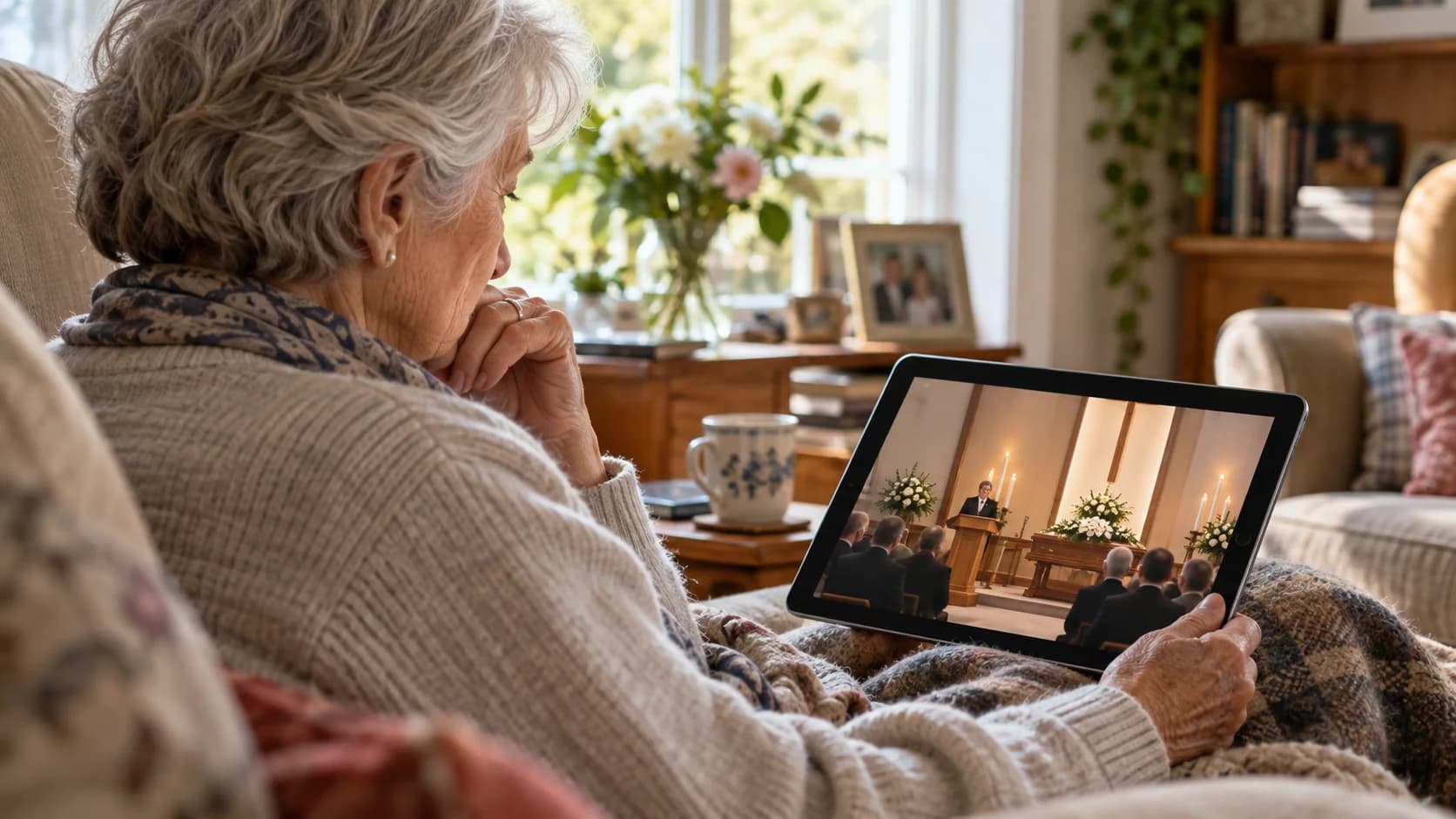
Ideally, the instructions should be:
Open this link at this time.
That's about it.
If there's a password, include it clearly.
Avoid making people download unfamiliar software if you don't need to.
Avoid requiring everyone to create accounts.
And remember that somebody watching may be doing so from a phone or tablet rather than a computer.
I'd also send the link well before the service rather than five minutes before it begins.
That gives people time to open it, check that it works and ask for help if they need it.
A livestream is usually better than a video call
There are circumstances where a video call is useful.
If five family members want to gather online afterwards and talk to each other, a video meeting may be exactly the right tool.
But the service itself is usually different.
The people watching don't necessarily need to participate.
They don't need cameras.
They don't need microphones.
Nobody should need to admit them to a meeting halfway through a eulogy.
And there shouldn't be any possibility of someone's microphone unexpectedly broadcasting noise from their living room into everybody else's experience.
During the service, the relationship is usually simple:
One place is broadcasting. Everyone else is watching.
That's what livestreaming is designed for.
You probably don't need elaborate equipment
A respectful funeral livestream doesn't need to look like a television production.
For many services, a modern smartphone can be enough.
What matters more is where you put it.
Use a stable tripod rather than asking somebody to hold the phone throughout the service.
Position it somewhere with a clear view but where it isn't intrusive.
Make sure it isn't blocking an aisle.
And try not to position it somewhere that makes everyone attending acutely aware that they're being filmed.
The ideal setup is often quite boring.
A phone.
A small tripod.
Power if the service is long.
A reliable internet connection.
Once the stream starts, the equipment should largely disappear into the background.
That's exactly what you want.
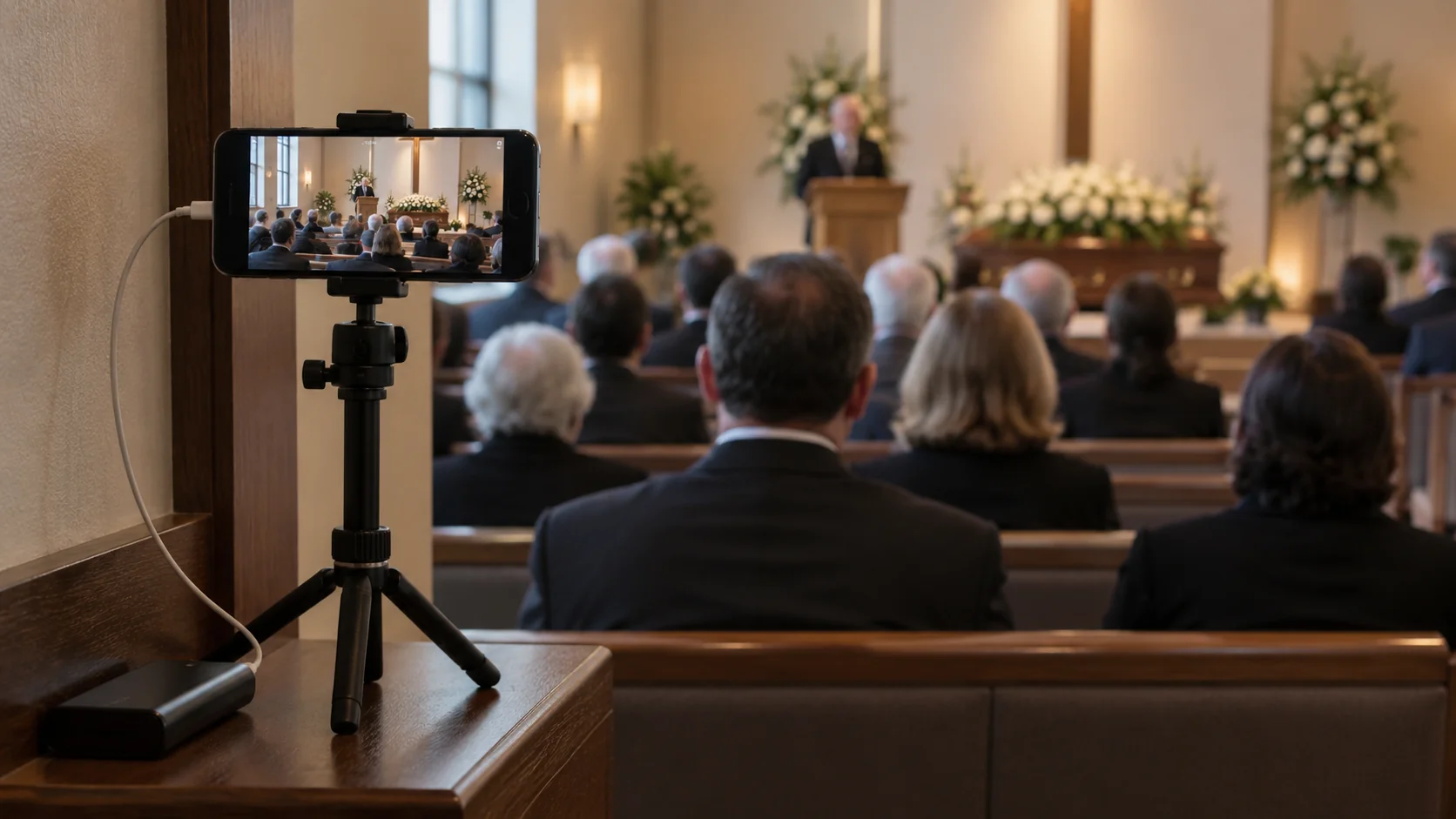
Positioning the camera requires some sensitivity
At a wedding, you might be trying to find the most impressive view of the ceremony.
At a funeral, discretion matters just as much as composition.
You don't necessarily need close-ups of grieving family members.
Often, a wider fixed view of the area where the service is taking place is more appropriate.
Remote viewers need to see and hear what's happening.
They don't need the camera following people around the room.
If there will be speakers giving eulogies, think about where they'll stand.
If the service is taking place around a central area, make sure that's visible.
And if you're unsure about the framing, record a short test video from the intended position and watch it back.
Ask yourself:
If I were watching this from another country, could I follow the service comfortably?
That's a better test than trying to make it cinematic.
Audio may matter more than video
A slightly imperfect picture is often completely watchable.
A service where you can't hear the person speaking is much harder.
That makes audio particularly important.
How well a phone microphone performs depends enormously on the room and how far it is from the speakers.
A small chapel may be easy.
A large hall with the phone positioned at the back may not be.
If the venue has a sound system, ask whether there's an appropriate way to use it.
If you're keeping things simple, at least test the phone from the actual position you intend to use.
Have somebody stand where the eulogies or prayers will be delivered and speak at normal volume.
Then listen to the recording.
You may discover that moving the phone a few metres makes a much bigger difference than buying a more expensive camera.
Test the internet from the actual location
This is one of the most important practical steps.
Don't assume that because the venue has Wi-Fi, the connection will be good enough where the service is happening.
Test it from the exact place where the phone will be positioned.
The entrance lobby may have excellent Wi-Fi while the chapel has almost none.
Likewise, mobile data can work perfectly outside a building and struggle once you're inside.
If possible, know what your backup is.
Perhaps Wi-Fi is the first choice and mobile data is available if needed.
The important thing is to discover connection problems before people are waiting for the stream to begin.
Give yourself some time before the service
I wouldn't plan to start setting everything up at the exact moment the funeral is due to begin.
Arrive early.
Position the phone.
Connect power if you're using it.
Check the internet connection.
Open the streaming app or service.
Make sure the framing is sensible.
Then start the livestream a little before the formal service begins.
Remote viewers would generally rather look at a quiet room for a few minutes than spend those minutes wondering whether the link is broken.
You can also tell them in advance:
The stream will open approximately 10 minutes before the service begins.
That removes uncertainty.
Should you record the funeral livestream?
This is something I'd decide before the service.
A recording can be valuable.
Time zones may make watching live impossible for somebody overseas.
A family member may be too unwell to watch at the scheduled time.
Someone may later want to hear a eulogy again.
For those people, having the service available afterwards can mean a great deal.
But not every family will want that.
A funeral is intimate, and some people may be comfortable with relatives watching live while feeling differently about a permanent recording existing afterwards.
Neither approach is inherently right.
Ask the family.
If a recording will be available, think about who should have access to it and for how long.
And make sure the relevant people know that the service is being recorded, rather than assuming that livestreaming automatically makes that obvious.
What about the burial?
This deserves its own decision.
Streaming a service inside a venue is relatively straightforward.
A burial can be more difficult both practically and emotionally.
The internet connection may be worse outside or in a cemetery.
There may be wind noise.
People may be moving around.
And the family may feel that this part of the funeral should remain more private.
On the other hand, for somebody who desperately wanted to attend but couldn't, seeing the burial may be particularly important.
Again, there's no universal rule.
If the family wants it streamed, plan it separately rather than assuming the setup used indoors can simply be carried outside without interruption.
And if they don't want it streamed, ending the broadcast at the conclusion of the formal service is completely reasonable.
Have one person responsible for it
Even if the setup is simple, somebody needs to own the job.
Not six people vaguely assuming somebody else has done it.
One person.
Their responsibilities don't need to be complicated:
Set up the phone.
Start the stream.
Confirm it's working.
Make sure the phone remains powered and hasn't been knocked over.
End the stream afterwards.
Ideally, once everything is running, that person should be able to sit down and participate in the service themselves.
The technology shouldn't turn a family member into a camera operator for the entire funeral.
Where SimchaCam fits
SimchaCam wasn't originally built specifically for funerals or memorial services.
It came from a broader problem:
Something important is happening, somebody who matters can't be there, and they need a simple way to watch.
That applies to happy occasions.
It also applies to difficult ones.
With SimchaCam, the person at the service can create an event and share a private viewing link with the people who should receive it.
The person streaming can broadcast from their phone.
The people watching simply open the private link in their browser.
They don't need the streaming app.
They don't need to create a SimchaCam account.
They aren't joining a video meeting.
And events can be password protected when the family wants another layer of privacy.
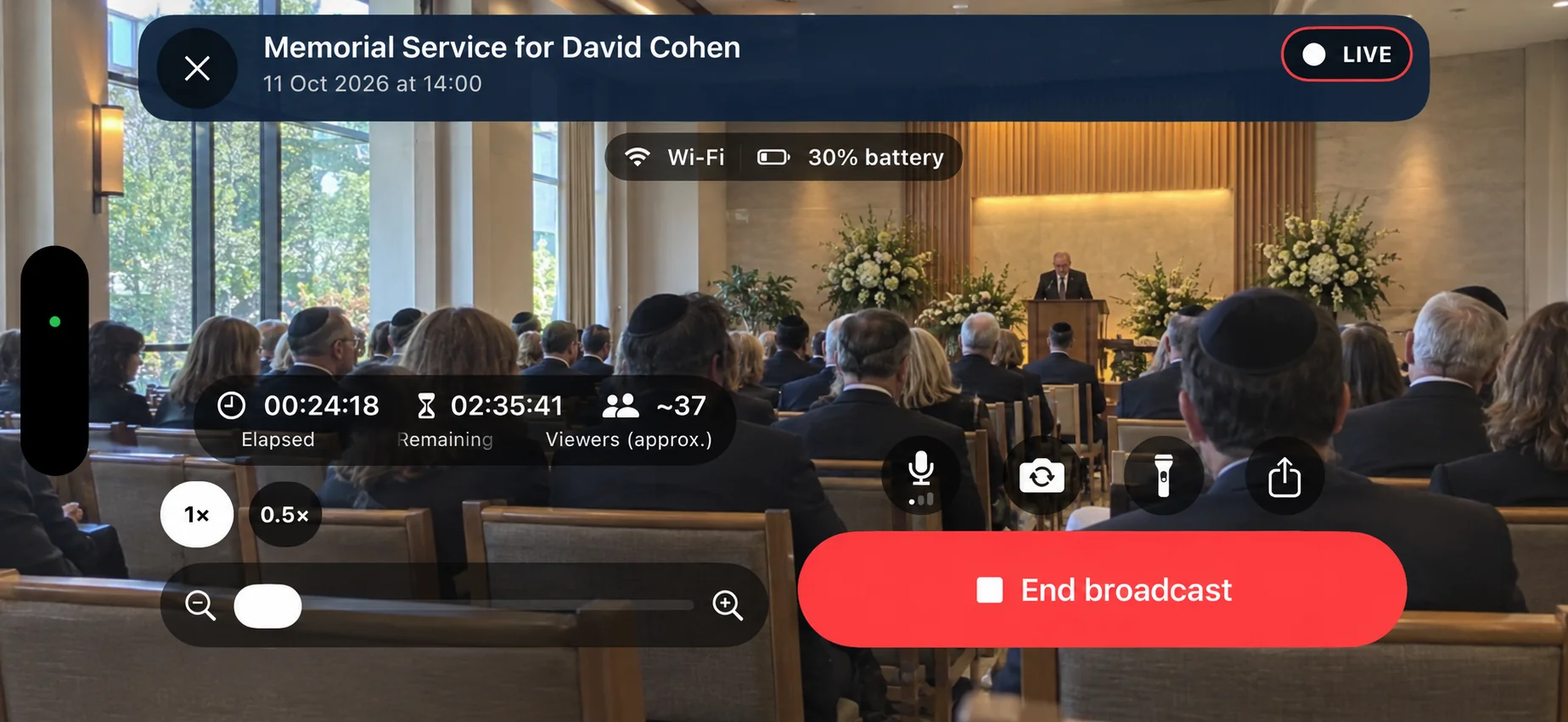
That's really all I want the technology to do in this situation.
Make it possible for someone who cannot be in the room to be there in the only way they can.
Then get out of the way.
Sometimes being able to watch matters enormously
A livestream obviously isn't the same as being physically present at a funeral.
Technology can't change that.
But sometimes being there physically simply isn't possible.
A flight can't be arranged in time.
Someone is too unwell to travel.
A relative lives thousands of miles away.
An elderly person can't leave home.
In those circumstances, being able to hear the eulogies, see the service and share the moment with the rest of the family can still matter enormously.
And that's why I'd keep the technology as simple as possible.
Get permission.
Decide what should and shouldn't be streamed.
Keep the viewing link private.
Test the connection.
Position the phone discreetly.
Make sure people can hear.
Give remote viewers the link ahead of time.
And then, once the service begins, let the technology fade into the background.
Because nobody attending a funeral — whether they're sitting in the room or watching from the other side of the world — should have to spend that moment thinking about how the livestream works.